Can you identify imagery, connotations, and figurative language in these poems?
In this lesson you read "Mending Wall" closely, analyzing how Robert Frost explores the ordinary experience of sharing a chore with a neighbor. Hopefully, you observed how the poem's speaker uses words to help you go beyond the simple chore to think about some bigger ideas that the chore could represent.
Try applying that same process to some poems in the anthology Poetry Speaks Who I Am. After reading each poem, identify the experience the poet relates. Then answer the question about the poet's word choices and how they help produce the poem's meaning.
"Caroline" appears on page 10 in the anthology. Its author, Allison Joseph, uses imagery to describe a girl who stood out from her classmates.
Question
What's happening in this poem? What does the imagery in phrases like "her stringy hair, / her flat, pallid face" suggest about how the other students felt about the girl?
The speaker recalls how she and classmates both bullied and protected the only white girl in her class. They pitied her because she was not like them. They thought she was weak. Looking back, the speaker wonders at how she and her classmates could hold such different views of the girl—as someone to mock and as someone who belonged to her group.
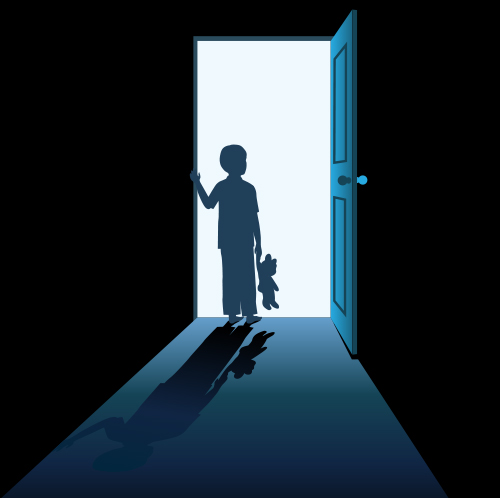
Brad Sachs's "A Boy in the Bed in the Dark," on page 67, describes a memory that haunts a child who accidentally hurt his brother.
Question
What's happening in this poem? What does the speaker's figurative language in phrases like "gruesomely compressed" and "milky movie" convey about how he feels as he looks back at this experience?
The word choices suggest that the past event is just as nightmarish when the speaker remembers it as it was when it happened. The passing of time hasn't made the memory less upsetting.
Question
On page 103, Bill Zavatsky's poem "Baseball" describes a suspenseful moment in a boy's life. Reread the stanza that starts "The ball kept climbing." How does the imagery in this stanza help build suspense?
The poem tells about a young baseball player who has to catch a high ball but fears he won't. Years later, he remembers being astonished that he did catch it. In the stanza, the image of the ball going up, up, up and seeming to defy gravity captures how impossibly high it appeared to the boy. You can see why he thinks he "won't catch this one now."
In "How I Discovered Poetry" on page 107, Marilyn Nelson describes a very significant experience for a young girl whose teacher forces her to read a poem aloud. The girl falls in love with poetry when she hears her teacher read. The teacher notices and forces the girl to read an embarrassing poem out loud. The racist language and themes in the poem shame the speaker and her classmates into silence.
Question
Which words and phrases in this poem have connotations that help you understand what the speaker first felt about poetry? What about after her teacher insists, while smiling "harder and harder," that the speaker read a particular poem?
Phrases like "soul-kissing," and "the way the words / filled my mouth" have strong, positive connotations that suggest the speaker was surprised by the beauty of poetry. Even after she is forced to read a poem that mocks black people, the speaker and her classmates are "awed by the power of words." Awe is a word with a strong connotation. It shows that the whole class understood that language can be both inspiring and devastating.
Text
Guided Notes
Tutor
Video
How To
Meet your new study partner! With our powerful Student Tools, your online learning experience just got more accessible,
personalized, and thought-provoking than ever before!
Do you feel like you learn better when you watch videos? You’re not alone!
Research shows instructional videos can make learners more engaged and active in online classes,
when compared to text-only lessons.
Student Tools lets you turn some lesson pages into videos instantly! Just click the Student Tools tab and select Video.
Remember, video instruction is not available on every lesson page.
Go back to the lesson page any time by closing the Student Tools window.
Sometimes when you learn, it can feel like you’re just not getting it. Maybe you don’t really know what all the words on
the page mean, or you have to read a paragraph two or three times to understand what it’s about.
If this happens to you, just click the Student Tools tab and choose “Text.” This will automatically
simplify the instruction, making it easier to understand and remember.
Go back to the lesson page any time by closing the Student Tools window.
The science is in, and taking notes is one of the best ways to reinforce your learning.
Notes work even better when you write them by hand, since you’re more likely to put complex new ideas
in your own words and remember them longer.
You can quickly and easily access guided notes, as well as key lesson vocabulary,
by clicking Student Tools > Notes. Choose a PDF or Word Doc,
and fill them out online -- or even better-- print them out and take notes by hand!
Go back to the lesson page any time by closing the Student Tools window.
Imagine a teacher you can contact anytime, who is happy to answer all your questions and
knows pretty much everything in the world about the subject you need help with.
Say, “Hello!” to your Tutor! Click on Student Tools > Tutor, and ask any question about your class.
Your Tutor is super smart! You can ask the Tutor to explain things more clearly, make connections
between ideas, or even give you custom quizzes and feedback. You can click the links under References to learn more.
Go back to the lesson page any time by closing the Student Tools window.
Student Tools lets you create your own Flashcard decks to help you study. To get started, click Student Tools >
Flashcards. Press Add New Set and give it a title.
Now, decide what will be on the front and back of your first card. It can be a term and definition, a challenging question,
or even a funny phrase that helps you remember something. Click Add Card to Set to make a new Flashcard.
You can delete sets or cards by clicking the trash can icon. When you’re done, click Save Cards to Set.
Now you can Review your deck. Read the front of the card, and think of the answer. Even better, say your answer out loud! Then, click the card to flip it over.
Depending on how you did, you can either keep that card in the deck to study again by clicking Next or Previous, or if you got it right, click remove.
Remember to review your flashcards often, space out study sessions, and keep practicing until you know them all!
Go back to the lesson page any time by closing the Student Tools window.