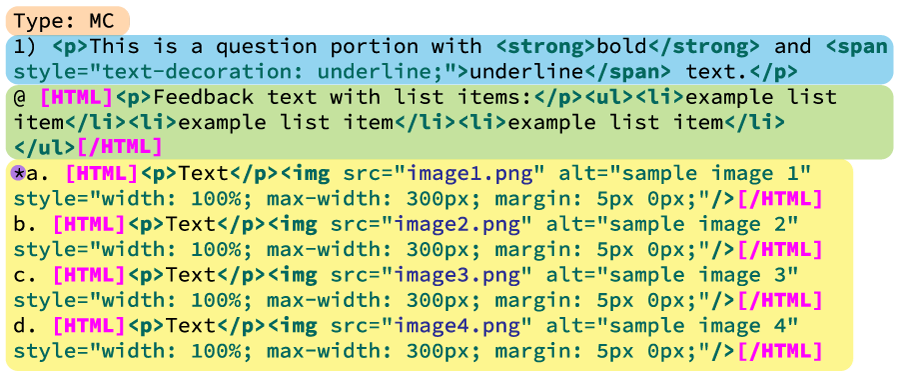
The way we format HTML in respondus is just as important as the formatting for each question type. Each of these exams will be imported into a Learning Management System (LMS) and for them to import correctly, we need for format them correctly. Each time a change is made to an exam in our Content Management System (CMS), the changes must then be re-imported into the LMS.
Click through the tabs below to see some of the specific requirements and restraints in using HTML formatting for a respondus questions.
Using CSS
Only use very basic CSS. Most Learning Management Systems will strip out ‘advanced’ CSS properties.
- margin
- padding
- border
- background-color


Using HTML
Most often, you'll be asked to use very basic HTML, particularly in the feedback section. Most Learning Management Systems will strip out 'advanced' HTML elements in
the feedback section.
- p
- em
- strong
- img
- table
Image Basics
- Add these inline styles and edit ‘X’ to your desired max-width: style="width: 100%; max-width: X"
- Can only use alt text for image descriptions. Please do not add screen-reader-only classes or styling.
- If quotes are needed around words, they should be single quotes rather than double quotes so they don’t clash with the alt attribute quotes.
- Any alt text like equations needs to be rewritten as text. For example, 5 squared, three-fifths, times 3, etc.


Putting it all together...
If any portion of an exam question, feedback or answer selection requires an HTML element, then entire section needs to be in HTML formatting.
- When it’s just a text-based HTML element, you can simply use a p-tag and style it as needed.
- When multiple lines of code are needed or more than one type of HTML element, it’s best practice to wrap all HTML elements in a bracketed HTML tag. (See sample formatting below.)
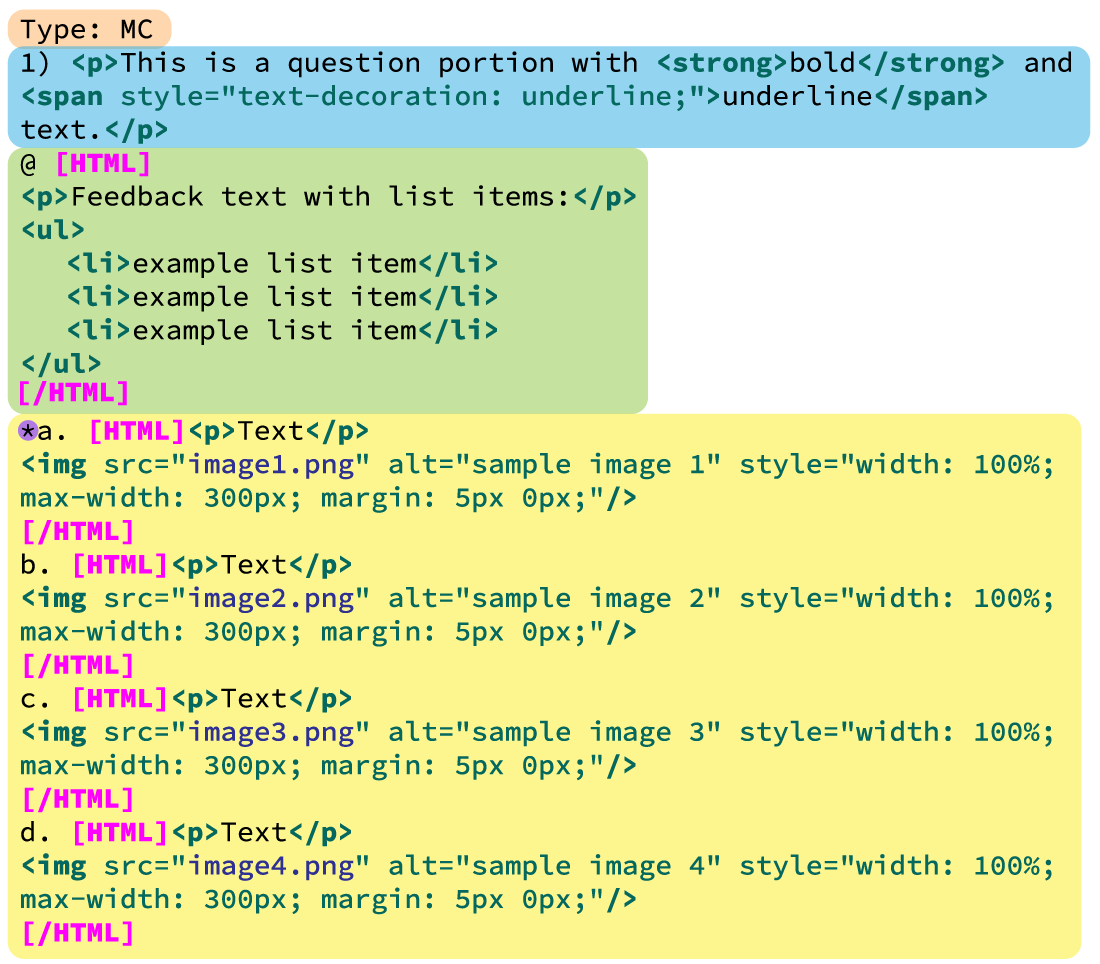
It's important to note that we can not add JavaScript to Respondus formatted text. Learning Management Systems will strip out all JavaScript within the Respondus text.

If you minify your responds code, you eliminate the possibility of stary closing HTML brackets showing up in your assessment preview!