 Computer languages commonly use certain characters as part of their syntax. Therefore, if someone wants to actually display the character, and not have it parsed as part of the coding language, a special notation needs to be used to make the exception. In HTML, for example, we are frequently using the characters <, and > to write tags. So how would we write out the tag for a paragraph and not have it parsed?
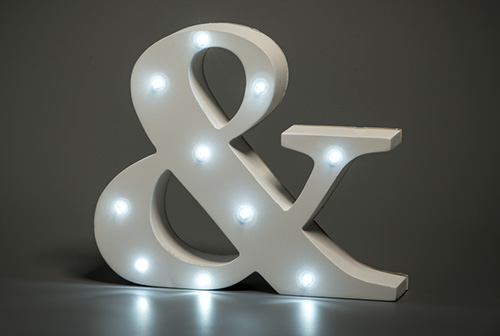
For these cases, we need to use ampersand notation. The ampersand, which is a symbol that represents "and", has a long history with programming languages. In HTML, each special character is created by starting with the ampersand. This is typically followed by an abbreviation of the name of the character, and ends with a semicolon (;) so that the browser knows that this is the end of the entity's code.
So how do we write out the paragraph tag without the browser parsing it and turning it into a paragraph element? We need to create the angle brackets using ampersand notation. These two characters are made with the following code:
| < < |
> > |
| <p> = <p> | |
Do you see how the "lt" and "gt" in their notation are abbreviations for "less than" and "greater than"? Almost all characters made with ampersand notation use that approach to help make them easier to remember. Here are a few other common characters that are useful when writing content for websites.
| Character | Notation | Explanation | Example |
|---|---|---|---|
| ampersand & |
& | An ampersand can just be written in text content as "&", but it is considered best to use & to avoid potentially confusing the browser. | peanut butter & jelly |
| copyright © |
© | This entity creates the symbol for copyright, which many designers will place in the footer of their websites. | Website © Jane Doe. All rights reserved. |
| em dash — |
— | The em dash is a very long dash. It is most commonly used to create a break or add emphasis in a sentence. They can be used in place of commas, parentheses or colons to add more effect. | She received the email too late—three whole days past the deadline. |
| en dash – |
– | The en dash is closer to the length of a hyphen than the em dash, and should be used when showing a span between numbers, including times and dates. | The meeting will be held Mondays, 8–10 a.m. |
| quotation marks “ ‘ ’ ” |
“ ‘ ’ ” |
Instead of generic quotation marks that are strictly vertical, these entities will create quotation marks that curve to show whether they are beginning or ending a quote. | “To be, or not to be.” |
| non-breaking space | | The non-breaking space displays as one normal space. It is special because it cannot be broken over the end of a line of text. So if it's connecting two words that would be broken by a line return, they will instead both jump to the new line. |
