Now that we can position elements using relative, absolute and fixed methods, the chances are good that we'll eventually have, or want, elements overlapping. In the flow of code, whichever elements are added first will be on the "bottom" of the pile (hidden underneath the other), and later elements will be on "top" (out in front of all the others).
This default order won't always work for our layout plans, especially as ideas and designs get more detailed and complicated. When we need added control over which elements appear in front of others, we can utilize the z-index property. This property can be applied to a positioned element, whether relative, absolute or fixed. However, it will not have any effect on a static element.
As you may know, when determining an axis in 2D, the "x axis" represents left and right, and the "y axis" represents up and down. The "z axis" is incorporated when we consider the third dimension, and it represents depth—moving toward or away from us in space. So the z-index arranges elements in layers, with the item "closest" to us as first in our view.
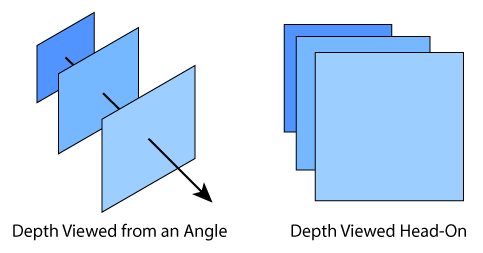
To make an element appear in front of another, you need to give it a higher z-index. Let's say you have three overlapping elements—a square div, a tall div, and a wide div. It's a generally good practice to assign z-index values in large increments. This leaves space between values to add more in between later as other elements may be added. So let's use increments of 100. If we want the tall div in the back, the wide div in the middle, and the square div in front, we'll assign values of 100, 200, and 300 respectively.
|
<div class="squareDiv" style="z-index:300;"></div> |
