Have you noticed that the first and final chapters of Esperanza Rising share a title?
The novel begins with a brief preface called “1924,” but the
real action starts six years later, in the chapter called “Las Uvas:
Grapes.” And the final chapter, which you’re about to read? “Las Uvas:
Grapes” again!
Why? Esperanza’s story is coming full circle like the harvest
year. The conflicts that began with one grape harvest will be
resolved in the next grape harvest. Take a moment to review
the elements of plot by clicking through each of the following
slides.
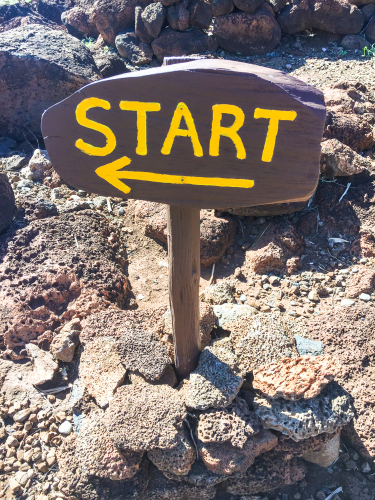
Rising Action
As the story begins, readers get
exposition—that is, information about the
story’s characters before the conflict begins. Then, an
inciting incident occurs to kick the story's conflict
into motion. The conflict and all the fallout problems
it generates drive the story's action from that point
on. Think of it as the beginning of a long, grueling
hike—one that no one planned to take, but now, they have
no choice but to put on their boots and packs and start
climbing.
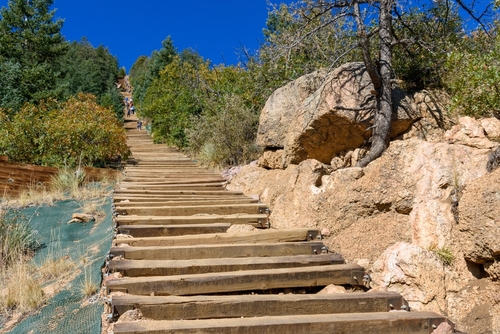
Climax
The climax is the highest point of the story’s tension.
All the events of the rising action lead to this point
in the story. Sometimes, readers think of it as the
story’s turning point because after this event or
cluster of related events, the story’s tension begins to
release, and the characters move quickly toward the
happy or not-so-happy ending of their story. You could
think of it this way: When the weary hikers finally
reach the high point on the trail, there’s only one way
to go—down to the bottom again.
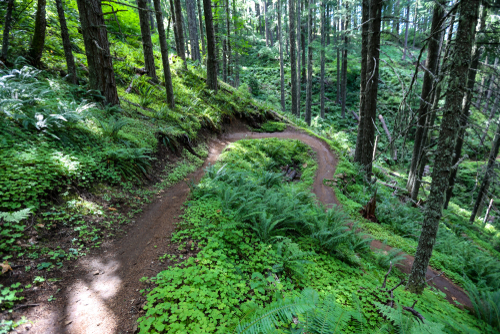
Falling Action
The falling action is the part of the story that reveals
the solutions to mysteries, provides answers to readers'
questions, and points to the final resolution of the
story's conflict or conflicts. The story's pace and
tension often begin to relax or decrease in this
section. The characters aren’t facing new problems but
instead are understanding better the conflicts they have
endured. It’s like the hikers taking a gently winding
path down, walking easily and knowing that the hard work
of hiking the steep path is done—for now, at least.
Resolution
The story’s resolution is similar to its exposition. Both
exposition—the stable world of the characters before the
conflict throws them into something new—and resolution
are states of rest. The resolution shows the “new
normal” of the characters’ world. It’s the world they
inhabit because they have faced the problems that the
conflict created. They can now look back at what they’ve
been through, like hikers resting and looking back up to
the peak they climbed. The characters are now more
prepared for the next time they have to gear up to face
a conflict.
Question
Based on your review of story structure, what do you predict
readers will learn in the last chapter of
Esperanza Rising?
A story’s resolution shows how conflicts are worked out. It
solves mysteries and answers questions readers have about
characters and their actions. The last chapter of Esperanza
Rising will likely tell what happened to the missing money
orders and reveal whether the family will continue to be
separated. It might explain where Miguel has gone and show
whether Mama continues to get better or suffers a relapse.
Text
Guided Notes
Tutor
Video
How To
Meet your new study partner! With our powerful Student Tools, your online learning experience just got more accessible,
personalized, and thought-provoking than ever before!
Do you feel like you learn better when you watch videos? You’re not alone!
Research shows instructional videos can make learners more engaged and active in online classes,
when compared to text-only lessons.
Student Tools lets you turn some lesson pages into videos instantly! Just click the Student Tools tab and select Video.
Remember, video instruction is not available on every lesson page.
Go back to the lesson page any time by closing the Student Tools window.
Sometimes when you learn, it can feel like you’re just not getting it. Maybe you don’t really know what all the words on
the page mean, or you have to read a paragraph two or three times to understand what it’s about.
If this happens to you, just click the Student Tools tab and choose “Text.” This will automatically
simplify the instruction, making it easier to understand and remember.
Go back to the lesson page any time by closing the Student Tools window.
The science is in, and taking notes is one of the best ways to reinforce your learning.
Notes work even better when you write them by hand, since you’re more likely to put complex new ideas
in your own words and remember them longer.
You can quickly and easily access guided notes, as well as key lesson vocabulary,
by clicking Student Tools > Notes. Choose a PDF or Word Doc,
and fill them out online -- or even better-- print them out and take notes by hand!
Go back to the lesson page any time by closing the Student Tools window.
Imagine a teacher you can contact anytime, who is happy to answer all your questions and
knows pretty much everything in the world about the subject you need help with.
Say, “Hello!” to your Tutor! Click on Student Tools > Tutor, and ask any question about your class.
Your Tutor is super smart! You can ask the Tutor to explain things more clearly, make connections
between ideas, or even give you custom quizzes and feedback. You can click the links under References to learn more.
Go back to the lesson page any time by closing the Student Tools window.
Student Tools lets you create your own Flashcard decks to help you study. To get started, click Student Tools >
Flashcards. Press Add New Set and give it a title.
Now, decide what will be on the front and back of your first card. It can be a term and definition, a challenging question,
or even a funny phrase that helps you remember something. Click Add Card to Set to make a new Flashcard.
You can delete sets or cards by clicking the trash can icon. When you’re done, click Save Cards to Set.
Now you can Review your deck. Read the front of the card, and think of the answer. Even better, say your answer out loud! Then, click the card to flip it over.
Depending on how you did, you can either keep that card in the deck to study again by clicking Next or Previous, or if you got it right, click remove.
Remember to review your flashcards often, space out study sessions, and keep practicing until you know them all!
Go back to the lesson page any time by closing the Student Tools window.